Participant's interface / Participant Authentication
We’re rolling out participant authentication on Monday, March 17th to enhance security and improve your participants experience.
🔹 How it works:
Participants can be added to the Members List & events through four methods:
1️⃣ Eventbrite
2️⃣ Importing a List
3️⃣ Submission Form
4️⃣ Manually
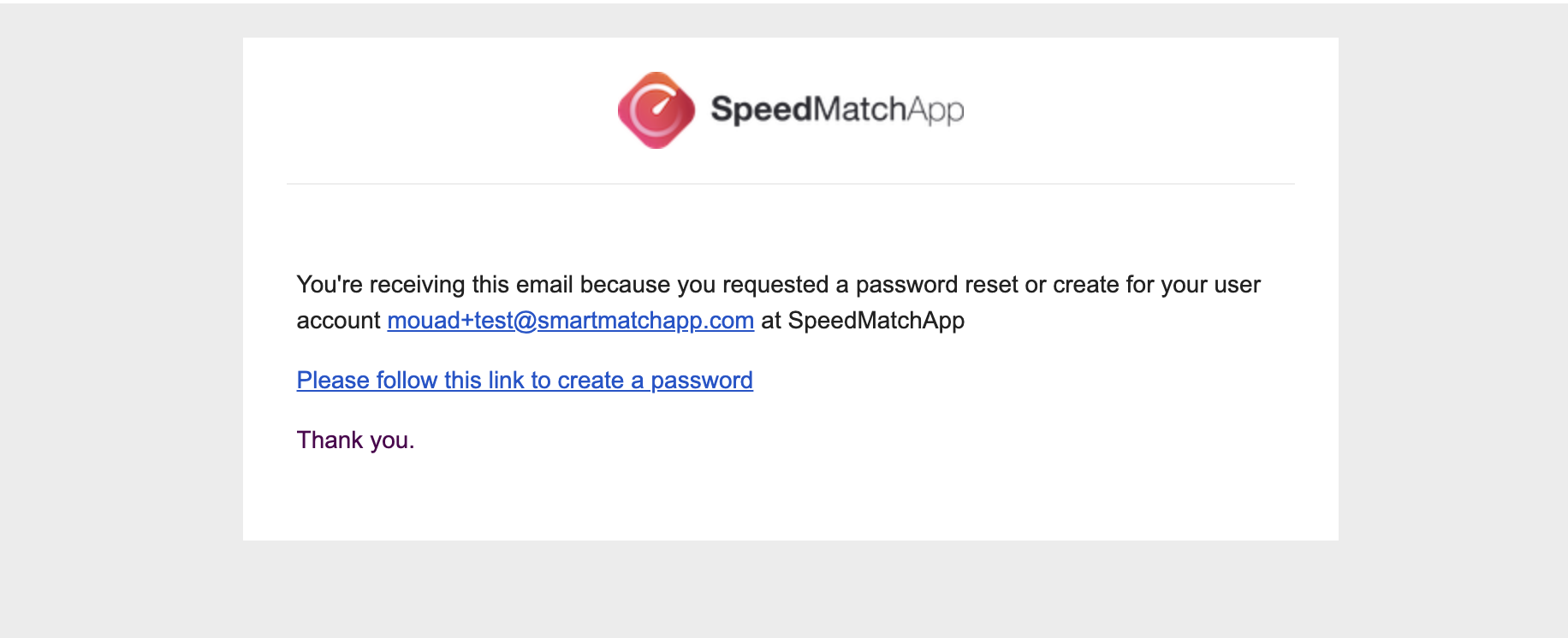
As soon as participants receive their event link or profile link, they will now be prompted to set a password. The system will then send them an email with steps to create their password.
🔹 Step-by-Step Guide for participants:
📌 Step 1: Receive the event link or profile link and open it.
📌 Step 2: Click to set a password.
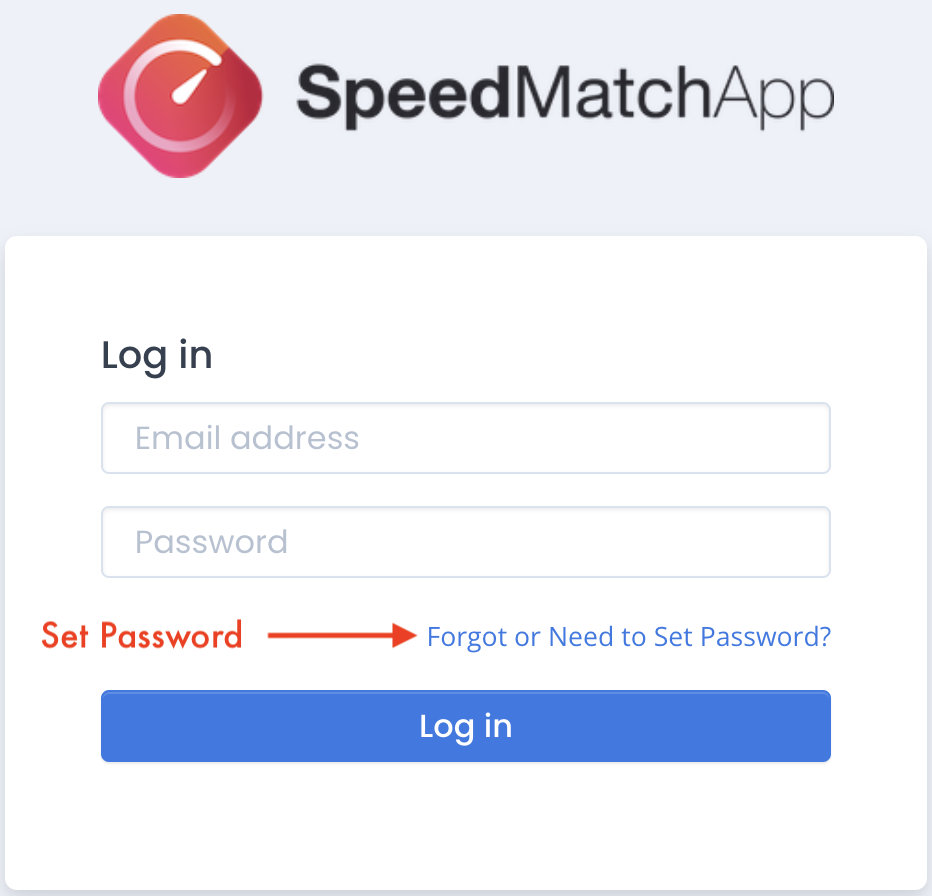
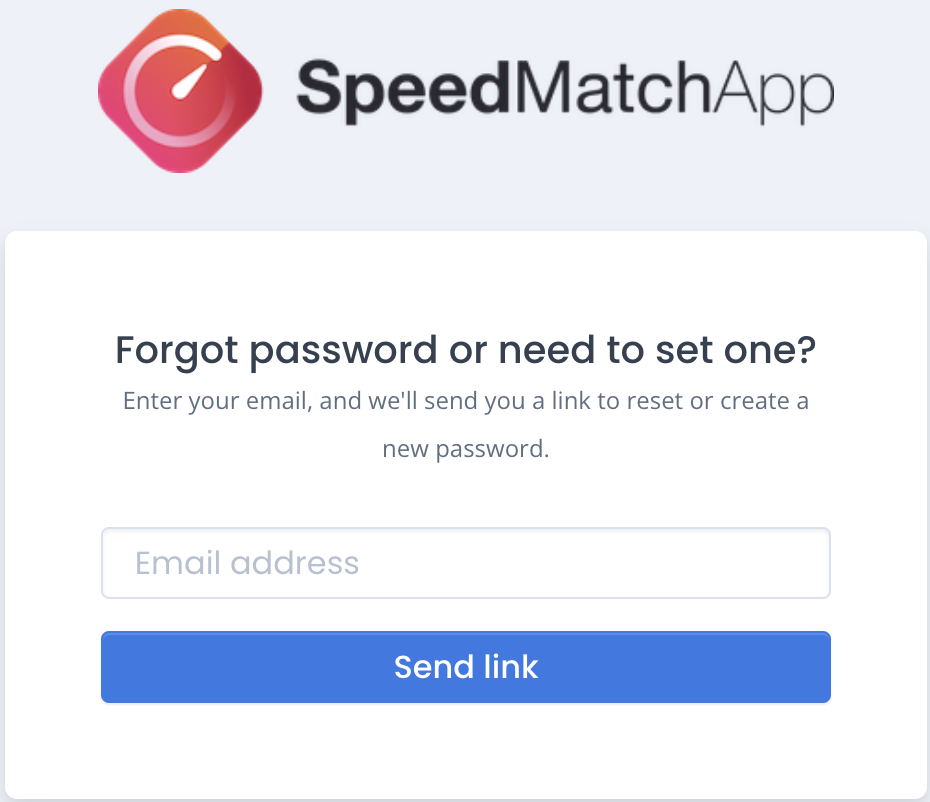
📌 Step 3: Enter your email to receive the password setup email.
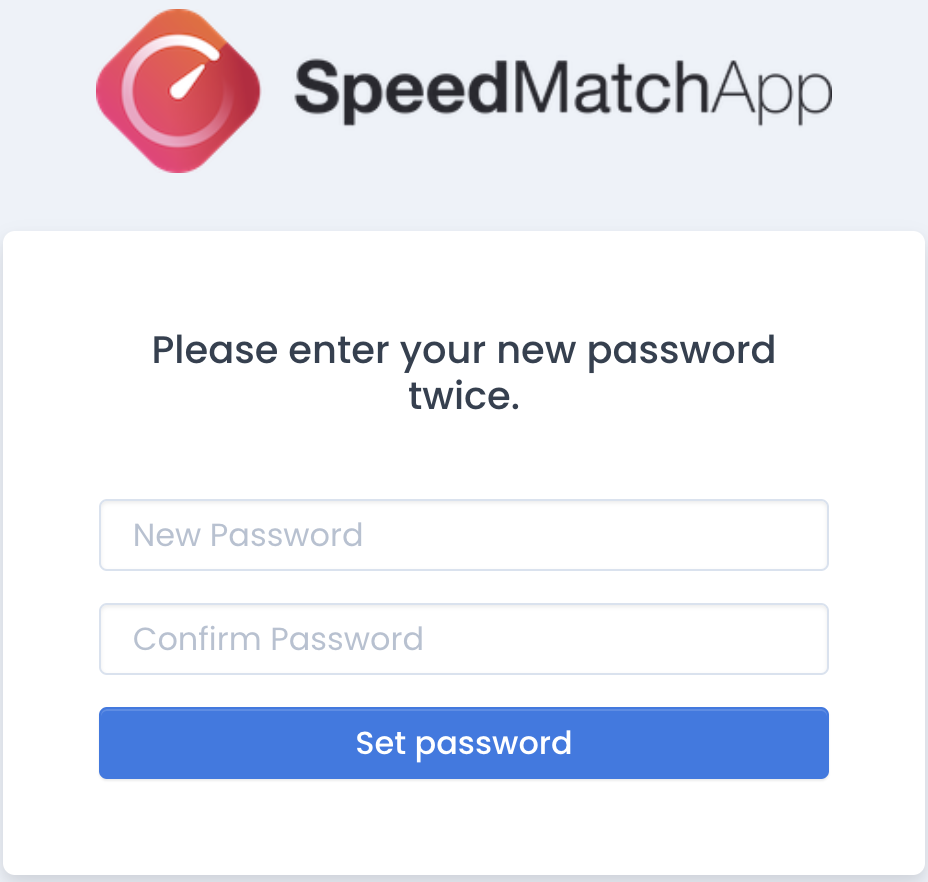
📌 Step 4: Enter your new password twice, then log in.
🔹 Important Note:
Once a participant sets a password and logs in, their credentials will be saved on the same browser & device. This means they won’t need to log in again each time they register for a new event!
This update ensures a smoother, more secure experience for everyone.
If you have any questions, feel free to contact us anytime!